FX Experience Has Gone Read-Only
I've been maintaining FX Experience for a really long time now, and I love hearing from people who enjoy my weekly links roundup. One thing I've noticed recently is that maintaining two sites (FX Experience and JonathanGiles.net) takes more time than ideal, and splits the audience up. Therefore, FX Experience will become read-only for new blog posts, but weekly posts will continue to be published on JonathanGiles.net. If you follow @FXExperience on Twitter, I suggest you also follow @JonathanGiles. This is not the end - just a consolidation of my online presence to make my life a little easier!
tl;dr: Follow me on Twitter and check for the latest news on JonathanGiles.net.
by Jasper Potts | Jan 28, 2013 | Charts, Controls, CSS, UI Design
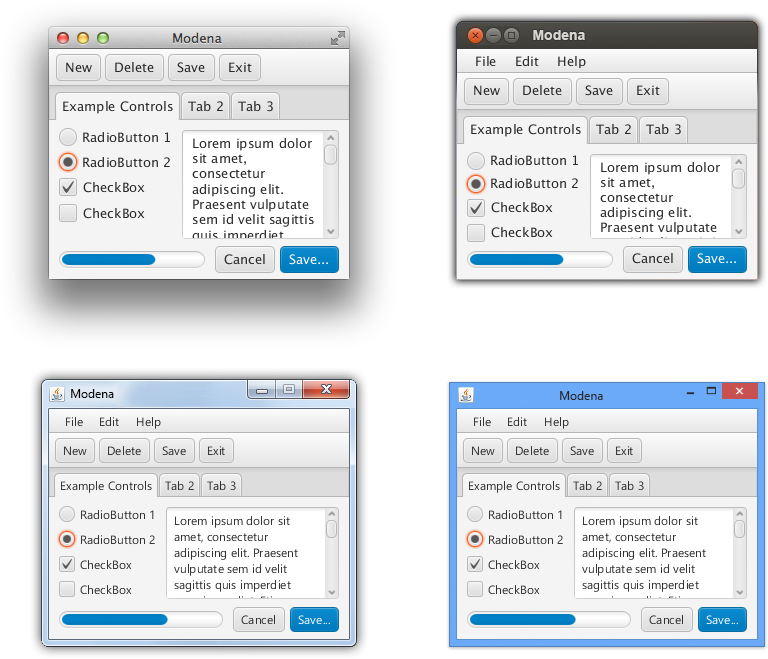
We have been working recently on a new theme for JavaFX 8. The current theme for FX, named Caspian, is showing its age and we wanted to take the opportunity to give JavaFX a face lift for 8. Because folks have created custom controls and designs for their app, we needed to make sure that selecting the theme was something that you could opt-out of. We will be providing both API and command line switches in 8 to allow you to specify caspian specifically. If you do nothing, you’ll get Modena, our new theme, by default. Without further ado this is what it looks like:
(more…)
by Jonathan Giles | May 6, 2012 | General, Layout, Scenic View, UI Design
Update: More recent releases of Scenic View have been released since this post! Go to the Scenic View page to download the latest release!
Developing user interfaces is tricky, regardless of whether you’re just trying to understand the high level scenegraph layout, or whether you’re pushing pixels for a finely tuned user interface. I understand and feel for people in this situation. UI developers come up with all kinds of tricks, for example, temporarily introducing a bold one pixel border of varying colours around components to better understand the user interface. I certainly know I have done that countless times in the past when building user interfaces, and frankly, it is painful and massively time consuming.
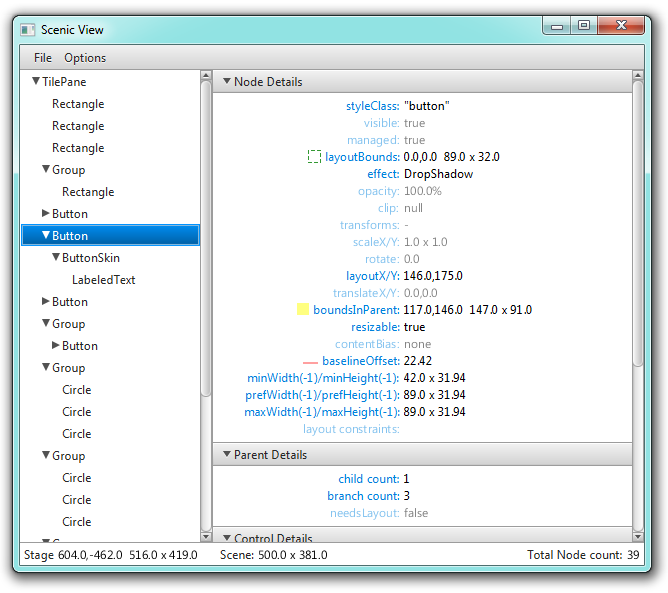
Inside the JavaFX team, since times of yore (that is, since at least JavaFX 1.3, but perhaps earlier – my memory fails me here), we’ve had this remarkable little tool that was called Scenic View. It somehow just burst into existence, through the brilliance of Amy Fowler, whom many should know as the layout guru for both Swing and JavaFX. Scenic View is a tool that can be called to browse a live view of the application scenegraph. Here’s a screenshot:
(more…)
by Jasper Potts | Mar 1, 2012 | CSS, UI Design
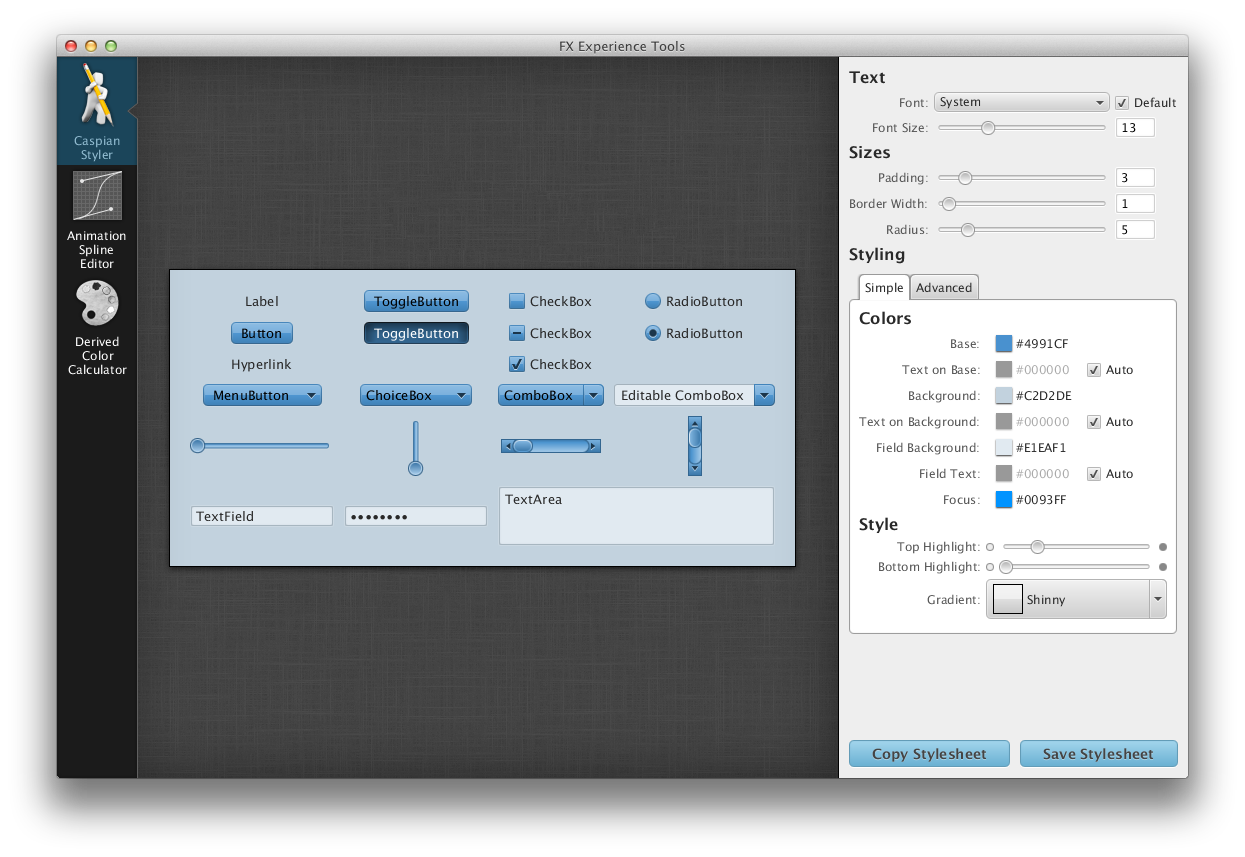
 I have some cool new stuff for you today. I have been working on porting some of the little tools I wrote for JavaFX 1.X. Also I was inspired by the web css button creator UiParade Button Builder. So I created a simple theming tool for JavaFX. This is something I have wanted to do for ages and is actually the second one I have written. The first started from the point of view of supporting every feature that can be done with CSS in JavaFX, and this turned out to be a huge undertaking as there is an amazing amount of flexibility in styling the JavaFX controls with CSS. So this one was inspired by the UiParade one and tried to give a simple set of controls to adjust the look. Some of them are quite clever that you adjust one slider and it is adjusting dozens of css properties in varying amounts for you. I have also made the source code available for all of these apps along with the custom controls like a color picker. So you can download it and see how its works. Hopefully we will add more tools to it over time as we have ideas or have time to do some.

by Richard Bair | Feb 6, 2012 | Controls, CSS, FXML, Layout, Tips n' Tricks, UI Design
One of Jasper’s favorite websites is called Dribbble, which is a place for designers to post whatever work they’re currently working on for others to view and be inspired from. I got hooked on Dribbble last Thursday and have been looking at a bunch of the mockups and itching to try implementing some of them in JavaFX. Here is my first attempt.

One of the use cases we used for our CSS support and our ToolBar API was that we wanted to support a style of toolbar button which (at least for me) was popularized on the Mac, which is referred to by Cocoa as a “segmented” button. This is essentially nothing more than an HBox of buttons that has been styled such that the first button has rounded left edges, the center buttons are squared up, and the last button has rounded right edges. In the image above by Bady, you can see the segmented button bar in the toolbar area of the application.
(more…)
by Jasper Potts | Jan 7, 2012 | Controls, CSS, Demo, UI Design, Uncategorized
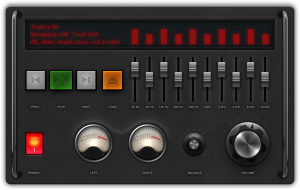
I was inspired by Dean Iverson’s tweet with a audio equalizer in JavaFX:
#JavaFX rocks. Literally. An example from our upcoming Pro JavaFX 2 book: pic.twitter.com/tSI4Vry4
and the equalizer view from that Pro JavaFX 2 example app: pic.twitter.com/T6jxvrf9
. updated pic.twitter.com/FqzgVimG
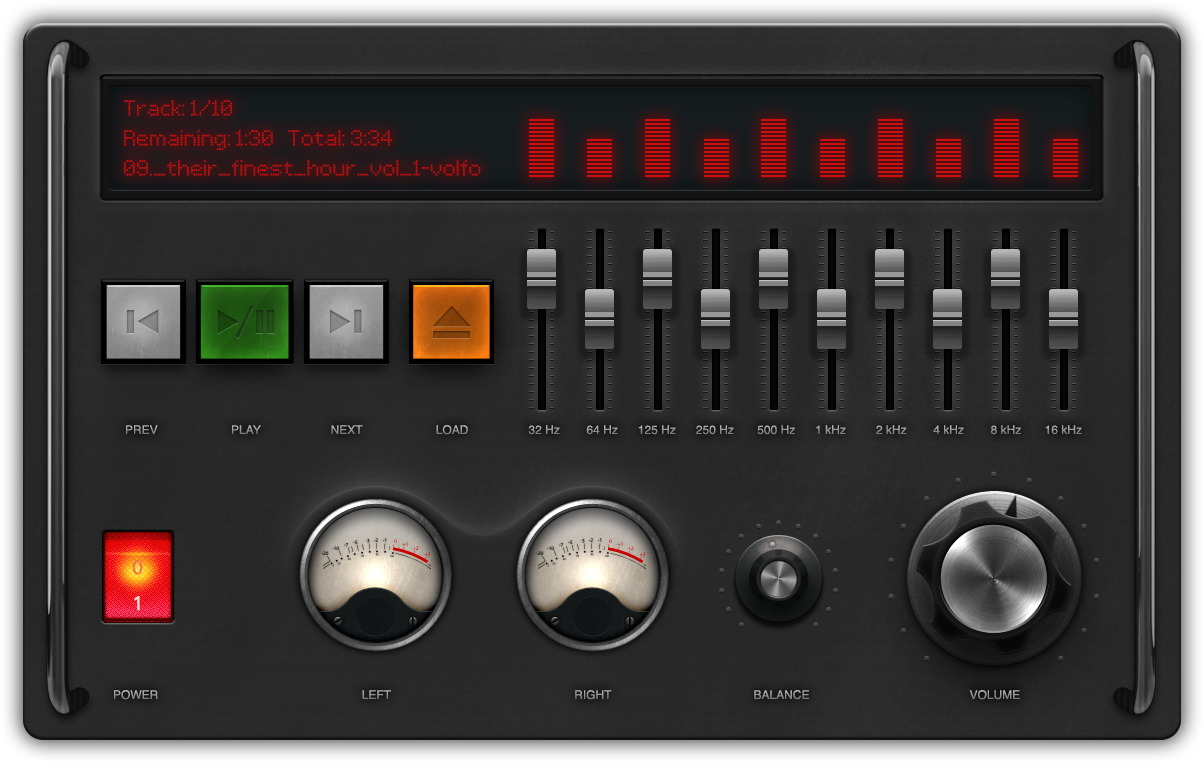
So wanted to have a go at doing one my self, so little while later I have a design and built a working application. Demo video after the break.
(more…)
by Jasper Potts | Dec 20, 2011 | Controls, CSS, Tips n' Tricks, UI Design
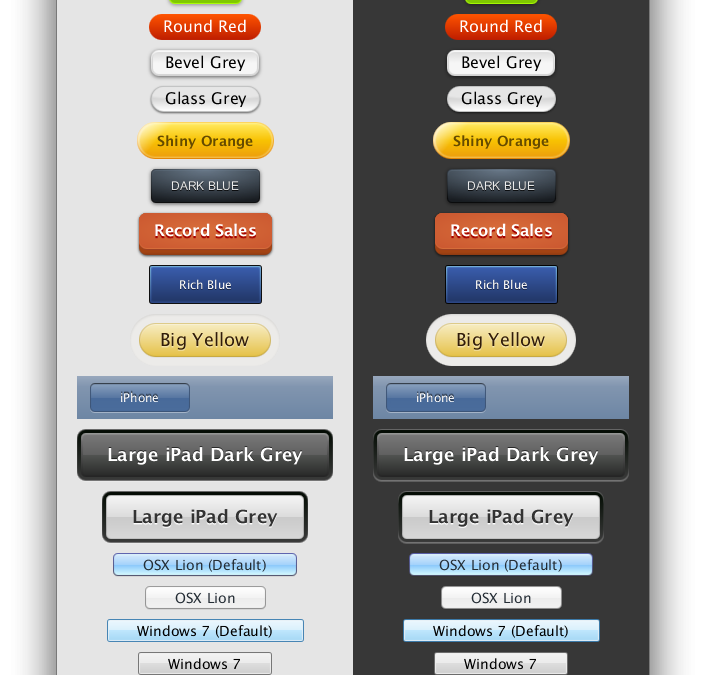
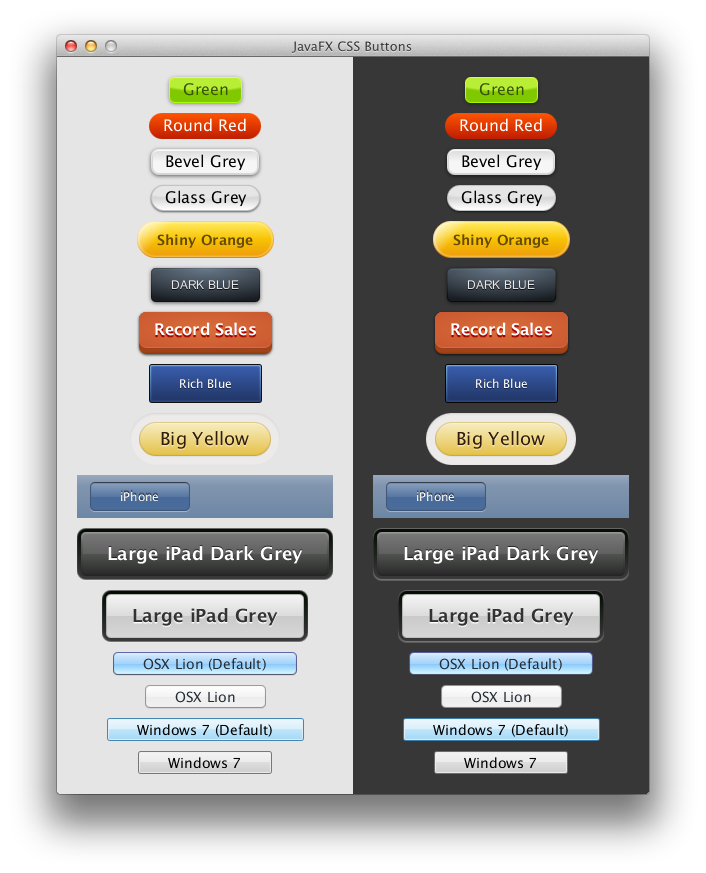
A number of people have asked me recently can I create this look or that look using CSS in JavaFX. Or they have said that you could never do that! So I thought I would do a little experiment and try recreating a bunch of common button styles purely using CSS. So without further ado, here is the result:
(more…)


