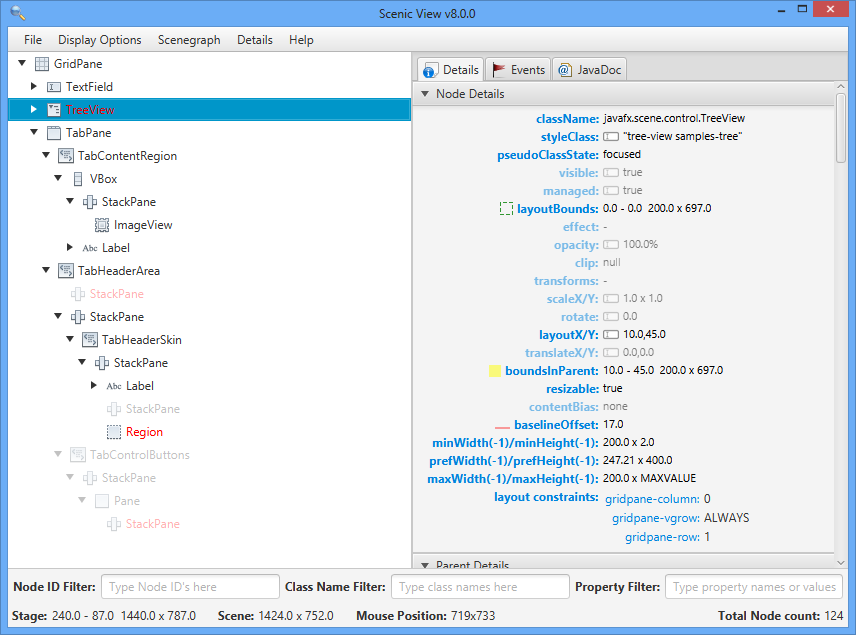
The following documentation is current as of the 1.2.0 release of Scenic View. The comments section at the bottom of this page is open for other questions and feedback that may be included into a future release.
Launching Scenic View
There are three different ways of launching the application
1) From Code
This was the only previous option of launching Scenic View and it is still supported. Basically only one line of code is needed
ScenicView.show(node);
or
ScenicView.show(scene);
In this configuration Scenic View will display only the desired Node/Scene. In general this approach is not recommended as the java agent option is better and does not couple the application code to Scenic View.
2) Java Agent
Scenic View can also be launched as a java agent using the following command line option:
-javaagent:ScenicView.jar
In this configuration Scenic View will autodiscover any JavaFX Stage in the application.
3) Standalone
The easiest way to use Scenic View is double clicking the ScenicView.jar file to launch it as a Standalone application. In this configuration Scenic View will autodiscover all JavaFX applications and every Stage in them. For allowing autodiscovery Scenic View will need:
- tools.jar (and attach.dll on path)
- jfxrt.jar
Both jar paths will be requested in a dialog in case they are not on the classpath.
NOTE:This option is still under test, in case it does not work as expected launch Scenic View from a console and send us the output from Scenic View. You can get more diagnostic information by running Scenic View with the “-debug” command.
File Menu

There are two options in the file menu
1) Configure Classpath: Using this options tools.jar and jfxrt.jar’s paths can be changed. This options will all be shown when ScenicView is launched in standalone mode

2) Exit Scenic View that closes the ScenicView and saves user settings in a properties file.
Display Options
The display options menu provides several options related to configuring Scenic View:
- Show Default Properties: If this option is checked those properties whose value is the original default value will be faded in the detail panes, otherwise they will be removed from the view. Note: This feature is slightly different in Full Properties Panel and Styles Panel, instead of using default values they use empty values. The default properties are showing in the figure below:

- Show CSS Properties: When this option is selected Scenic View will show the CSS property names for the selected node beside the JavaFX property name. This saves having to refer to the CSS Reference Guide:

- Ruler: It is a submenu with two options that will help for alignment purposes. When Show Ruler is enabled a number of cross lines will appear in the original scene. The distance between those parallel lines can be customized and also the color.

- Show Filtered Nodes In Tree: When this options is enabled every single node will appear in the tree even tough they are filtered or invisible (in both cases nodes will be faded). See also the Filters section below.
- Show Invisible Nodes In Tree: This option is only enabled if the previous one is not selected. When it is checked the invisible nodes will not be included in the scenegraph tree, this option can be seen as a filter for invisible nodes. See also filters below.
- Show Node IDs: If this options is selected node IDs will be included in the tree

- Collapse control in tree: If this option is selected all the controls will be collapsed in the tree by default.
- Collapse container controls in tree: This check is only enabled when the previous one is selected. The purpose of the option is to
expand container controls (like SplitPane, TitledPane, etc.) by default when is selected
Scenegraph Menu
In this menu there are various options to make selecting components easier, and also to reduce the need to restart the application in certain situations:
- Auto-Refresh Scenegraph: By default this option is selected and implies that every change in the scenegraph would produce an update in the scenegraph tree representation, this is interesting in general but could slow down certain animations or fast modifications of the application. When it is unchecked the tree will not be automatically updated, but it could be done manually (i.e. pressing enter on a filter)
- Auto-Refresh Stylesheets: This feature is particularly useful but it is only enabled if there are css files outside in the file system (it has no use for a file inside a jar file). In those situations when the option is active Scenic View will check if there are modifications in the stylesheets and apply them in that case. With this feature you can modify css files and see how it works directly without restarting the application.
- Register shortcuts: ScenicView will register some keyboard shortcuts to make it easier its use if this option is selected.
- Ctrl + Shift + R: Activate/Deactivate the ruler
- Ctrl + Shift + S: Activate/Deactivate the component select on click
- Ctrl + Shift + D: Deselect active node
- Components select on click: Sometimes it is not easy (even with filters) to find a particular node in the scenegraph, when this option is activated you can select a node just by clicking on it and it will be selected in the scenegraph tree inside Scenic View. To make it easier to determine which node you are about to select, all the rest of the scene will be faded and a small tooltip will appear near the node.

- Ignore MouseTransparent Nodes: This options allows for you to ignore components to be selected on click when they are mouse transparent, because typically those nodes could be in front of the actually important nodes. Unchecking this option will treat MouseTransparent nodes as all the other.
Details Menu
The details menu includes several options related with node details tab. It will only be shown when the tab is selected
- Copy details to clipboard: This option copies all the details of the selected node to the clipboard, it can be use to compare the differences between nodes or the evolution of those values
- Show Bounds Overlays: If this option is checked, when a node is selected in the tree two rectangles will be drawn representing its bounds in parent (filled yellow rectangle) and its layout bounds (stroked (but unfilled) green rectangle)

- Show Baseline Overlay: If this option is selected, the selected node will have a red line drawn to show where the baseline is.

Events Menu
This menu is related and only shown when the events tab is selected.
- Enable event tracing: Checking this option event tracing will be enabled and shown in the events tab
- Clear events: This option allows to empty all the previously recorded events
Animations Menu
Deselecting animations enabled all the animations will be stopped
Filters

Filters are use to find relevant nodes or information in an easy way. Filtering can be displayed in different ways depending on the options selected in the Display Options menu mentioned above. For example, if the ‘show filtered nodes in tree’ option is selected every node that does not match the filters will be faded. If the option is not selected the unmatching nodes will be removed from the tree unless the have any children that matches them. In that case those nodes will be faded.
Example: “Show filtered nodes in tree” not selected, faded nodes whose children are valid:
Example: Same situations but “Show filtered nodes in tree” is now selected
In this area three types of filters can be found, their filtering effects can be added:
ID Filter
This filter can be used to find a node whose ID is known. Type the desired ID in the textfield and the Scenegraph will be updated on each keystroke to find the nodes that contain this text in their ID.
Class Filter
This filter is used to filter nodes by their class name, the filter does not include the package.
Property Filter
The property filter is not used to filter nodes, instead it filters the properties of the selected node (it is disabled while no node has been selected). The filtering will be done on property names and values. All properties not matching the filter will be removed from the view until the filter is cleared.
Scenegraph Tree

The structure of the scenegraph in the application is shown here, each node could be expanded (to see its children) or collapsed. The nodes which do not have children will not be expandable. Controls are included in a collapsed state by default even though they can be expanded to see their skin and other nodes. The behavior of this area depends on your preferences that can be changed in the menu and that have already been explained above, but to sum up:
- Normal nodes: If the node isn’t faded or red, the node is valid for all the filters currently set.
- Red nodes: The node that has the focus is painted in red.
- Faded nodes: The nodes could be faded for various reasons depending on the preferences, i.e. if they are invisible, not matching the filter, not matching the filter but parents of a node that actually does etc.
- Invisible nodes: Nodes could be removed from the tree if Show Filtered Nodes In Tree is not selected. In this situation nodes which do not match the filters will not appear except if they are parents of a matching node
When any node is selected some details panes will be shown on the right and also bounds rectangles could be shown over the node. A right click on the tree will deselect active node.
A special situation happens when popups are shown, in that case the structure is changed to:
Where the root node is now under the Application virtual node and the popups are included on “SubWindows-SubWindow” virtual nodes. More than one application can be shown at the same time, depending on the situation the root nodes can be:
- VM Nodes: If more than one applications are been shown the root nodes will be VM Nodes.
- Stages: If only one application is being analyzed but it has more that one Stage the root nodes will be the Stages.
- Root Node: If only one stage is used the root node of the scene will be the root node of the tree
Right-Clicking on a node will show a context menu with some options:
- Clear Selection: Pressing this option the selected node will be cleared
- Forced collapse/expand: This options allow to collapse/expand nodes, this could be done only for the current node or for each nodes which type is same as the one that is selected
- Go to: An easy shortcut to go to the different tabs
- Close: This options closes the menu
Detail Area
On the right side of Scenic View when a node is selected you will see something like this:

In these panels you can:
- See the properties of the node
- Modify the value of those properties
- Watch easily when something get updated in the node because when a property is updated it stays painted in red for five seconds (actually the property is painted in red when it is invalidated rather than changed)

- See the styleNames for properties in the “Full Properties Detail”
- See bound properties
- Show the styles of the nodes
Node Detail Panes
Under this category we can find several different panes for:
- Node details: For all the nodes
- Control details: For nodes that are also Controls
- Parent details: For nodes that have children
- Text details: For Text nodes
- Region details: For nodes subclassing Region
- Labeled details: For nodes subclassing Labeled
- GridPane details: For gridpane nodes
All of these detail panels support default value detection for properties, in each panel those properties which value is their default will be faded or removed (depending on Show Default Properties). Each pane has different kinds of properties, to show relevant data about that node
Full Properties Detail Pane
This pane relies on the extended bean format of JavaFX and includes every property available in a method called “propertyNameProperty()”. In this way even custom nodes that use JavaFX Bean convention will display their custom properties (and could be editable). Apart from that every property that could be styled will show its styleName if Show CSS Properties is set
Styles Detail Pane
In this panel all the styles of the selected node will be shown. For each “styleable” property the active style types will be shown
Property Edition
Properties can be modified in every detail pane but Full Properties Detail Pane is recommended (because each property is edited separately). Editable properties are easily detected with this icon:
![]()
For properties that are not modifiable double-clicking on their value will show in the status area the reason why they are not:![]()
Current versions supports editing for:
- IntegerProperty, FloatProperty, DoubleProperty, BooleanProperty and StringProperty
- ObjectProperty for Enums if the initial value is not null
Obviously they cannot be edited if they are:
- ReadOnlyProperties
- Bound
Bound properties will be shown with this icon:
In order to modify a property value:
- Click on the value
- A control will appear
- Depending on the type of property it could be a TextField (default), a CombBoxo, or a Slider (This currently is only used for node opacity in the Node Details Pane)
- Modify its value
- Change the value in the control and the property will be changed also, in case an error ocurrs it will be display on the status area
- Cancel the editing
- You can cancel the editing by clicking anywhere else in the pane
EventLogPane
The EventLogPane allows the user to record several kinds of events/pseudoevents:
- MouseEvents
- KeyEvents
- PropertyChangeEvents
- NodeAdded/Removed Events
- Other kinds of events
To start event recording use the menu, there are two kinds of filters in EventLogPane
- Root node filter: Events will be recorded only if their source is the selected node or its childrens. If no node is selected there will be no filtering. This could be considered a pre-filter, because the events that don’t match the criteria will be lost
- TextField filter: Event could also be filtered using the TextField. As it can be seen in the image the introduced text supports basic logical operations, using the special keyword AND, OR and NOT. By default AND is assumed when no other option is specified. This textfield acts as a post-filter, so if the filter is emptied all the event will appear on the table
Clear menu option can be used to empty all the results.
Every single event that matches both filters will be included in the table which columns are for:
- Source: The source of the event, i.e. TilePane, Rectangle “rect4″..
- EventType: The type of event, for example, MOUSE_MOVED, KEY_PRESSED
- EventValue: Only used for PROPERTY_CHANGED to show the property new value
- Moment: The timestamp of the event
Clicking on a row information icon will show the Stacktrace of the event allowing to follow how/where has been produced
JavaDocPane
This panel can be used for making the modification in the application more easy. When a node is selected the javadoc pane will display the Javadoc page of the API.
Also doble clicking on a property in “Full Properties Panel” will directly load the javadoc of that property.
AnimationsPane
In this panel all the running animations will be listed, also alowing to pause them separatedly. A paused animation will disapear from the table
StatusBar Area
Placed on the bottom of the application the status bar area shows different information depending on the situation:
![]()
In a typical situation it will show:
- Stage: X position, Y position, width, height (of the application window)
- Scene: width, height (of the application scene)
- Mouse Position: When the mouse is over the main application window this label will show its coordinates, it is particularly useful in combination with the ruler
- Total Node Counter: The number of nodes in the scene
However this area is also used for displaying information messages like for example:
![]()


[...] View 1.0 is now available for download! This release adds a heap of new features to the release I put out a few weeks ago. Some features include filtering, editing, and a bunch [...]
I like ScenicView but shouldn’t the first thing to be explained in the help file be the way how you connect your application with ScenicView? Otherwise you won’t have much fun with it
Put a line like this into your code:
ScenicView.show(scene);
Duh! Sorry to skip over such an obvious piece of advice. I’ll add some more information to this page shortly. Your hint is correct, although I’m hoping to also provide an application discovery feature to Scenic View using JMX.
Thanks! I had no idea how to run it and your comment was just enough! I kept thinking it was a stand-alone app that connect versus embedded in code!
Same as previous comment
Doesn’t load stand alone,
no help info on how to actually use !
When I saw that the File menu has “Quit” as its only choice, I began to wonder how you open a scene.
Thanks to MiPa’s suggestion to put ScenicView.show(scene) somewhere in your code. That should be highlighted in the first paragraph of this Help page, in an indented, block quoted code snippet so that it stands out and cannot be missed.
But, really?! This is considered good practice, to embed an inspection tool in your code? The tool should work from the outside in. Otherwise, you either have to comment out each call to ScenicView when you release, or have to do something smelly like
if (isDebugging) showSceneInScenicView;
At what version of javafx is this targeted for?
I’m using javafx 2.1 and an exception is being thrown now (with the later scenicView it worked fine):
Exception in Application start method
java.lang.reflect.InvocationTargetException
at sun.reflect.NativeMethodAccessorImpl.invoke0(Native Method)
at sun.reflect.NativeMethodAccessorImpl.invoke(NativeMethodAccessorImpl.java:57)
at sun.reflect.DelegatingMethodAccessorImpl.invoke(DelegatingMethodAccessorImpl.java:43)
at java.lang.reflect.Method.invoke(Method.java:601)
at com.javafx.main.Main.launchApp(Main.java:486)
at com.javafx.main.Main.main(Main.java:638)
Caused by: java.lang.RuntimeException: Exception in Application start method
at com.sun.javafx.application.LauncherImpl.launchApplication1(Unknown Source)
at com.sun.javafx.application.LauncherImpl.access$000(Unknown Source)
at com.sun.javafx.application.LauncherImpl$1.run(Unknown Source)
at java.lang.Thread.run(Thread.java:722)
Caused by: java.lang.NullPointerException
at com.javafx.experiments.scenicview.StatusBar.updateWindowDetails(StatusBar.java:88)
at com.javafx.experiments.scenicview.ScenicView.setTargetWindow(ScenicView.java:1032)
at com.javafx.experiments.scenicview.ScenicView.setTargetScene(ScenicView.java:995)
at com.javafx.experiments.scenicview.ScenicView.storeTarget(ScenicView.java:752)
at com.javafx.experiments.scenicview.ScenicView.setTarget(ScenicView.java:689)
at com.javafx.experiments.scenicview.ScenicView.(ScenicView.java:665)
at com.javafx.experiments.scenicview.ScenicView.show(ScenicView.java:55)
at com.javafx.experiments.scenicview.ScenicView.show(ScenicView.java:46)
at zp_prototype2.ZP_Prototype2.start(ZP_Prototype2.java:64)
We are targeting Scenic View at the latest JavaFX release, so right now we are only using features from JavaFX 2.1. The NPE is a simple mistake that I will fix up for the next bug fix release. Sorry about that!
Awesome! Thanks a lot for this tool, it’s really helping me be more productive with an already very productive environment
If i’ve found java.lang.NullPointerException in Scenic View during work with it, where should i post it, to make it noticed and fixed?)
PS: Scenic View is great tool! It helped me a lot of times already!
Test it with the latest release (currently 1.0.1), and if it is reproducible, email me at jonathan.giles@oracle.com.
Thanks!
– Jonathan
Ok, i’ve send you a trace and some description, please check it.
I am getting an error when launching ScenicView: “no main manifest attribute, in ScenicView.jar”. I have the JavaFX 2.1.1 runtime + SDK installed. I tried on another machine and got the same error. Any idea how I can get it working? Thanks.
Oh I see, you have to add the .jar as a compile-time library into your project and then use static calls..
The method 2 & 3 (javaagent & standalone) are not working. Using standalone mode, ScenicView is not able to detect running javafx applications (and yes classpath is set in the “configure classpath” dialog). ScenicView doesn’t emit any output or error message when launched from command line; so can’t send anything back to you.
On using the -javaagent option in the command line, the target application is launched, but ScenicView doesn’t show up. On specifying the -javaagent option as a VM option in Netbeans, messes up the target’s application classpath as error message is shown that the required library is missing.
Sorry, launch the standalone option with “-debug” comand line argument, something like “java -jar ScenicView.jar -debug” and send us your output. Also which operating system are you running? and which version off JavaFX & Java?
Operations System: Windows 7 64-bit
Java version: 1.7.0_05
JavaFX version: 2.1.1
On using the -debug command line argument, got the following error message:
Exception in thread “main” java.lang.NoClassDefFoundError: javafx/scene/layout/Region
at java.lang.ClassLoader.defineClass1(Native Method)
at java.lang.ClassLoader.defineClass(Unknown Source)
at java.security.SecureClassLoader.defineClass(Unknown Source)
at java.net.URLClassLoader.defineClass(Unknown Source)
at java.net.URLClassLoader.access$100(Unknown Source)
at java.net.URLClassLoader$1.run(Unknown Source)
at java.security.AccessController.doPrivileged(Native Method)
at java.net.URLClassLoader.findClass(Unknown Source)
at java.lang.ClassLoader.loadClass(Unknown Source)
at sun.misc.Launcher$AppClassLoader.loadClass(Unknown Source)
at java.lang.ClassLoader.loadClass(Unknown Source)
at com.javafx.experiments.scenicview.utils.ScenicViewBooter.main(ScenicViewBooter.java:32)
Caused by: java.lang.ClassNotFoundException: javafx.scene.layout.Region
at java.net.URLClassLoader$1.run(Unknown Source)
at java.security.AccessController.doPrivileged(Native Method)
at java.net.URLClassLoader.findClass(Unknown Source)
at java.lang.ClassLoader.loadClass(Unknown Source)
at sun.misc.Launcher$AppClassLoader.loadClass(Unknown Source)
at java.lang.ClassLoader.loadClass(Unknown Source)
… 13 more
Please try this:
1) Remove scenicview.properties file
2) Launch ScenicView from console with debug option, this will show the classpath configuration dialog again
3) Send us full console output
E:\Applications\Java FX\Scenic View\ScenicView-1.1.0>java -debug -jar scenicview.jar
Error: No JDK found on system
Device “Mobile Intel(R) 4 Series Express Chipset Family” (\\.\DISPLAY1) initialization failed :
WARNING: bad driver version detected, device disabled. Please update your driver
to at least version 8.15.10.2302
java.util.ServiceConfigurationError: com.sun.tools.attach.spi.AttachProvider: Provider sun.tools.attach.WindowsAttachProvider could not be instantiated: java.lang.UnsatisfiedLinkError: no attach in java.library.path
Try to use the “java.exe” that is inside a jdk_home/jre/bin at launch it again
E:\Applications\Java FX\Scenic View\ScenicView-1.1.0>”C:\Program Files\Java\jdk1.7.0_06\jre\bin\java.exe” -debug -jar ScenicView.jar 2> output.txt
Content of “output.txt” follows:
java.rmi.ServerError: Error occurred in server thread; nested exception is:
java.lang.NoClassDefFoundError: javafx/stage/Window
at sun.rmi.server.UnicastServerRef.dispatch(Unknown Source)
at sun.rmi.transport.Transport$1.run(Unknown Source)
at java.security.AccessController.doPrivileged(Native Method)
at sun.rmi.transport.Transport.serviceCall(Unknown Source)
at sun.rmi.transport.tcp.TCPTransport.handleMessages(Unknown Source)
at sun.rmi.transport.tcp.TCPTransport$ConnectionHandler.run0(Unknown Source)
at sun.rmi.transport.tcp.TCPTransport$ConnectionHandler.run(Unknown Source)
at java.util.concurrent.ThreadPoolExecutor.runWorker(Unknown Source)
at java.util.concurrent.ThreadPoolExecutor$Worker.run(Unknown Source)
at java.lang.Thread.run(Unknown Source)
at sun.rmi.transport.StreamRemoteCall.exceptionReceivedFromServer(StreamRemoteCall.java:273)
at sun.rmi.transport.StreamRemoteCall.executeCall(StreamRemoteCall.java:251)
at sun.rmi.server.UnicastRef.invoke(UnicastRef.java:160)
at java.rmi.server.RemoteObjectInvocationHandler.invokeRemoteMethod(RemoteObjectInvocationHandler.java:194)
at java.rmi.server.RemoteObjectInvocationHandler.invoke(RemoteObjectInvocationHandler.java:148)
at $Proxy1.getStageIDs(Unknown Source)
at com.javafx.experiments.scenicview.connector.remote.RemoteScenicViewImpl$2.update(RemoteScenicViewImpl.java:94)
at com.javafx.experiments.scenicview.connector.remote.RMIUtils$2.run(RMIUtils.java:94)
Caused by: java.lang.NoClassDefFoundError: javafx/stage/Window
at com.javafx.experiments.scenicview.utils.AgentTest$1.getStageIDs(AgentTest.java:90)
at com.javafx.experiments.scenicview.connector.remote.RemoteApplicationImpl.getStageIDs(RemoteApplicationImpl.java:119)
at sun.reflect.GeneratedMethodAccessor2.invoke(Unknown Source)
at sun.reflect.DelegatingMethodAccessorImpl.invoke(Unknown Source)
at java.lang.reflect.Method.invoke(Unknown Source)
at sun.rmi.server.UnicastServerRef.dispatch(Unknown Source)
at sun.rmi.transport.Transport$1.run(Unknown Source)
at java.security.AccessController.doPrivileged(Native Method)
at sun.rmi.transport.Transport.serviceCall(Unknown Source)
at sun.rmi.transport.tcp.TCPTransport.handleMessages(Unknown Source)
at sun.rmi.transport.tcp.TCPTransport$ConnectionHandler.run0(Unknown Source)
at sun.rmi.transport.tcp.TCPTransport$ConnectionHandler.run(Unknown Source)
at java.util.concurrent.ThreadPoolExecutor.runWorker(Unknown Source)
at java.util.concurrent.ThreadPoolExecutor$Worker.run(Unknown Source)
at java.lang.Thread.run(Unknown Source)
Download ScenicView 1.1.1 and test it again
E:\Applications\Java FX\Scenic View\ScenicView-1.1.1>”C:\Program Files\Java\jdk1.7.0_06\jre\bin\java.exe” -debug -jar scenicview.jar 2> erroroutput.txt
java.rmi.ServerError: Error occurred in server thread; nested exception is:
java.lang.NoClassDefFoundError: javafx/stage/Window
at sun.rmi.server.UnicastServerRef.dispatch(Unknown Source)
at sun.rmi.transport.Transport$1.run(Unknown Source)
at java.security.AccessController.doPrivileged(Native Method)
at sun.rmi.transport.Transport.serviceCall(Unknown Source)
at sun.rmi.transport.tcp.TCPTransport.handleMessages(Unknown Source)
at sun.rmi.transport.tcp.TCPTransport$ConnectionHandler.run0(Unknown Source)
at sun.rmi.transport.tcp.TCPTransport$ConnectionHandler.run(Unknown Source)
at java.util.concurrent.ThreadPoolExecutor.runWorker(Unknown Source)
at java.util.concurrent.ThreadPoolExecutor$Worker.run(Unknown Source)
at java.lang.Thread.run(Unknown Source)
at sun.rmi.transport.StreamRemoteCall.exceptionReceivedFromServer(StreamRemoteCall.java:273)
at sun.rmi.transport.StreamRemoteCall.executeCall(StreamRemoteCall.java:251)
at sun.rmi.server.UnicastRef.invoke(UnicastRef.java:160)
at java.rmi.server.RemoteObjectInvocationHandler.invokeRemoteMethod(RemoteObjectInvocationHandler.java:194)
at java.rmi.server.RemoteObjectInvocationHandler.invoke(RemoteObjectInvocationHandler.java:148)
at $Proxy1.getStageIDs(Unknown Source)
at com.javafx.experiments.scenicview.connector.remote.RemoteScenicViewImpl$2.update(RemoteScenicViewImpl.java:94)
at com.javafx.experiments.scenicview.connector.remote.RMIUtils$2.run(RMIUtils.java:94)
Caused by: java.lang.NoClassDefFoundError: javafx/stage/Window
at com.javafx.experiments.scenicview.utils.AgentTest$1.getStageIDs(AgentTest.java:90)
at com.javafx.experiments.scenicview.connector.remote.RemoteApplicationImpl.getStageIDs(RemoteApplicationImpl.java:119)
at sun.reflect.GeneratedMethodAccessor2.invoke(Unknown Source)
at sun.reflect.DelegatingMethodAccessorImpl.invoke(Unknown Source)
at java.lang.reflect.Method.invoke(Unknown Source)
at sun.rmi.server.UnicastServerRef.dispatch(Unknown Source)
at sun.rmi.transport.Transport$1.run(Unknown Source)
at java.security.AccessController.doPrivileged(Native Method)
at sun.rmi.transport.Transport.serviceCall(Unknown Source)
at sun.rmi.transport.tcp.TCPTransport.handleMessages(Unknown Source)
at sun.rmi.transport.tcp.TCPTransport$ConnectionHandler.run0(Unknown Source)
at sun.rmi.transport.tcp.TCPTransport$ConnectionHandler.run(Unknown Source)
at java.util.concurrent.ThreadPoolExecutor.runWorker(Unknown Source)
at java.util.concurrent.ThreadPoolExecutor$Worker.run(Unknown Source)
at java.lang.Thread.run(Unknown Source)
Could you please post the complete output, you’re only including the System.err output. And could you also include more information like the paths of jfxrt.jar and the application that you are running?
jfxrt.jar’s path : path 1=> C:\Program Files\Java\jdk1.7.0_06\jre\lib
path 2=> C:\Program Files\Java\jre7\lib
The output remains same irrespective of the either path set.
Application being run: https://rapidshare.com/files/594788935/MLM%20Admin.zip
E:\Applications\Java FX\Scenic View\ScenicView-1.1.1>”C:\Program Files\Java\jdk1.7.0_06\jre\bin\java.exe” -debug -jar scenicview.jar > CombinedOutput.txt 2>&1
Output of CombinedOutput.txt:
Device “Mobile Intel(R) 4 Series Express Chipset Family” (\\.\DISPLAY1) initialization failed :
WARNING: bad driver version detected, device disabled. Please update your driver to at least version
8.15.10.2302
java.rmi.ServerError: Error occurred in server thread; nested exception is:
java.lang.NoClassDefFoundError: javafx/stage/Window
at sun.rmi.server.UnicastServerRef.dispatch(Unknown Source)
at sun.rmi.transport.Transport$1.run(Unknown Source)
at java.security.AccessController.doPrivileged(Native Method)
at sun.rmi.transport.Transport.serviceCall(Unknown Source)
at sun.rmi.transport.tcp.TCPTransport.handleMessages(Unknown Source)
at sun.rmi.transport.tcp.TCPTransport$ConnectionHandler.run0(Unknown Source)
at sun.rmi.transport.tcp.TCPTransport$ConnectionHandler.run(Unknown Source)
at java.util.concurrent.ThreadPoolExecutor.runWorker(Unknown Source)
at java.util.concurrent.ThreadPoolExecutor$Worker.run(Unknown Source)
at java.lang.Thread.run(Unknown Source)
at sun.rmi.transport.StreamRemoteCall.exceptionReceivedFromServer
(StreamRemoteCall.java:273)
at sun.rmi.transport.StreamRemoteCall.executeCall(StreamRemoteCall.java:251)
at sun.rmi.server.UnicastRef.invoke(UnicastRef.java:160)
at java.rmi.server.RemoteObjectInvocationHandler.invokeRemoteMethod
(RemoteObjectInvocationHandler.java:194)
at java.rmi.server.RemoteObjectInvocationHandler.invoke
(RemoteObjectInvocationHandler.java:148)
at $Proxy1.getStageIDs(Unknown Source)
at com.javafx.experiments.scenicview.connector.remote.RemoteScenicViewImpl$2.update
(RemoteScenicViewImpl.java:94)
at com.javafx.experiments.scenicview.connector.remote.RMIUtils$2.run(RMIUtils.java:94)
Caused by: java.lang.NoClassDefFoundError: javafx/stage/Window
at com.javafx.experiments.scenicview.utils.AgentTest$1.getStageIDs(AgentTest.java:90)
at com.javafx.experiments.scenicview.connector.remote.RemoteApplicationImpl.getStageIDs
(RemoteApplicationImpl.java:119)
at sun.reflect.GeneratedMethodAccessor2.invoke(Unknown Source)
at sun.reflect.DelegatingMethodAccessorImpl.invoke(Unknown Source)
at java.lang.reflect.Method.invoke(Unknown Source)
at sun.rmi.server.UnicastServerRef.dispatch(Unknown Source)
at sun.rmi.transport.Transport$1.run(Unknown Source)
at java.security.AccessController.doPrivileged(Native Method)
at sun.rmi.transport.Transport.serviceCall(Unknown Source)
at sun.rmi.transport.tcp.TCPTransport.handleMessages(Unknown Source)
at sun.rmi.transport.tcp.TCPTransport$ConnectionHandler.run0(Unknown Source)
at sun.rmi.transport.tcp.TCPTransport$ConnectionHandler.run(Unknown Source)
at java.util.concurrent.ThreadPoolExecutor.runWorker(Unknown Source)
at java.util.concurrent.ThreadPoolExecutor$Worker.run(Unknown Source)
at java.lang.Thread.run(Unknown Source)
You have place “-debug” option in an incorrect position it should be:
java -jar ScenicView.jar -debug
E:\Applications\Java FX\Scenic View\ScenicView-1.1.1>”C:\Program Files\Java\jdk1.7.0_06\jre\bin\java.exe” -jar scenicview.jar -debug > CombinedOutput.txt 2>&1
Output of CombinedOutput.txt:
Java Attach API was not found
JavaFX API was not found
Adding to classpath: file:/C:/Program%20Files/Java/jdk1.7.0_06/lib/tools.jar
Adding to classpath: file:/C:/Program%20Files/Java/jdk1.7.0_06/jre/lib/jfxrt.jar
Device “Mobile Intel(R) 4 Series Express Chipset Family” (\\.\DISPLAY1) initialization failed :
WARNING: bad driver version detected, device disabled. Please update your driver to at least version 8.15.10.2302
Startup done
Platform running
Creating server
Server done
Number of JVMs:2
Obtaining properties for JVM:5980
JVM:5980 detection finished
Obtaining properties for JVM:3484
JVM:3484 detection finished
2 JavaFX VMs found
Loading agent from file:E:\Applications\Java FX\Scenic View\ScenicView-1.1.1\.\ScenicView.jar
Loading agent for:sun.tools.attach.WindowsAttachProvider@2a85e6b1: 3484 ID:3484 on port:7559 took:100ms
Loading agent for:sun.tools.attach.WindowsAttachProvider@2a85e6b1: 5980 ID:5980 on port:7560 took:100ms
Launching agent server on:7559:7558:3484:true
Remote agent started on port:7560
Remote agent started on port:7559
java.rmi.ServerError: Error occurred in server thread; nested exception is:
java.lang.NoClassDefFoundError: javafx/stage/Window
at sun.rmi.server.UnicastServerRef.dispatch(Unknown Source)
at sun.rmi.transport.Transport$1.run(Unknown Source)
at java.security.AccessController.doPrivileged(Native Method)
at sun.rmi.transport.Transport.serviceCall(Unknown Source)
at sun.rmi.transport.tcp.TCPTransport.handleMessages(Unknown Source)
at sun.rmi.transport.tcp.TCPTransport$ConnectionHandler.run0(Unknown Source)
at sun.rmi.transport.tcp.TCPTransport$ConnectionHandler.run(Unknown Source)
at java.util.concurrent.ThreadPoolExecutor.runWorker(Unknown Source)
at java.util.concurrent.ThreadPoolExecutor$Worker.run(Unknown Source)
at java.lang.Thread.run(Unknown Source)
at sun.rmi.transport.StreamRemoteCall.exceptionReceivedFromServer(StreamRemoteCall.java:273)
at sun.rmi.transport.StreamRemoteCall.executeCall(StreamRemoteCall.java:251)
at sun.rmi.server.UnicastRef.invoke(UnicastRef.java:160)
at java.rmi.server.RemoteObjectInvocationHandler.invokeRemoteMethod(RemoteObjectInvocationHandler.java:194)
at java.rmi.server.RemoteObjectInvocationHandler.invoke(RemoteObjectInvocationHandler.java:148)
at $Proxy1.getStageIDs(Unknown Source)
at com.javafx.experiments.scenicview.connector.remote.RemoteScenicViewImpl$2.update(RemoteScenicViewImpl.java:94)
at com.javafx.experiments.scenicview.connector.remote.RMIUtils$2.run(RMIUtils.java:94)
Caused by: java.lang.NoClassDefFoundError: javafx/stage/Window
at com.javafx.experiments.scenicview.utils.AgentTest$1.getStageIDs(AgentTest.java:90)
at com.javafx.experiments.scenicview.connector.remote.RemoteApplicationImpl.getStageIDs(RemoteApplicationImpl.java:119)
at sun.reflect.NativeMethodAccessorImpl.invoke0(Native Method)
at sun.reflect.NativeMethodAccessorImpl.invoke(Unknown Source)
at sun.reflect.DelegatingMethodAccessorImpl.invoke(Unknown Source)
at java.lang.reflect.Method.invoke(Unknown Source)
at sun.rmi.server.UnicastServerRef.dispatch(Unknown Source)
at sun.rmi.transport.Transport$1.run(Unknown Source)
at java.security.AccessController.doPrivileged(Native Method)
at sun.rmi.transport.Transport.serviceCall(Unknown Source)
at sun.rmi.transport.tcp.TCPTransport.handleMessages(Unknown Source)
at sun.rmi.transport.tcp.TCPTransport$ConnectionHandler.run0(Unknown Source)
at sun.rmi.transport.tcp.TCPTransport$ConnectionHandler.run(Unknown Source)
at java.util.concurrent.ThreadPoolExecutor.runWorker(Unknown Source)
at java.util.concurrent.ThreadPoolExecutor$Worker.run(Unknown Source)
at java.lang.Thread.run(Unknown Source)
I set up SV 1.1 with the required classpaths and exited SV to save the properties.
I then started an app from NetBeans 7.2 using F6 to run it. When it had fully started, I restarted SV by double clicking from Windows Explorer. SV started but it showed no JavaFX apps.
Is this behaviour as expected or do you want me to gather some diagnostics?
Probably you don’t have attach.dll on your path, the easiest way is to run SV using the java inside a jdk
jdk_home/jre/bin/java.exe
Thank you for replying quickly, Ander.
I put attach.dll on the path and I also tried the java inside my jdk but it still did not work. I will look again today.
Try running SV from command line with “-debug” option something like
jdk_home\jre\bin\java -jar ScenicView.jar -debug
And send us your output
Thanks, Ander. I made sure that attach.dll was on the path. Here is the debug output:
C:\Program Files\Java\jdk1.7.0_06\bin>path
PATH=d:\java\scenicview;C:\Program Files\PC Connectivity Solution\;C:\WINDOWS\sy
stem32;C:\WINDOWS;C:\WINDOWS\System32\Wbem;d:\win32app\salford;C:\Program Files\
Common Files\Acronis\SnapAPI\;C:\Program Files\Calibre2\;C:\Program Files\Tortoi
seHg\
C:\Program Files\Java\jdk1.7.0_06\bin>java -jar d:\java\scenicview\scenicview.ja
r -debug
Java Attach API was not found
JavaFX API was not found
JDK found at: C:\Program Files\Java\jdk1.7.0_06\jre
Adding to classpath: file:/C:/Program%20Files/Java/jdk1.7.0_06/jre/../lib/tools.
jar
Adding to classpath: file:/C:/Program%20Files/Java/jdk1.7.0_06/jre/lib/jfxrt.jar
Startup done
Platform running
Creating server
Server done
Number of JVMs:2
Obtaining properties for JVM:4124
JVM:4124 detection finished
java.io.IOException: Access is denied
at sun.tools.attach.WindowsVirtualMachine.openProcess(Native Method)
at sun.tools.attach.WindowsVirtualMachine.(WindowsVirtualMachine.j
ava:56)
at sun.tools.attach.WindowsAttachProvider.attachVirtualMachine(WindowsAt
tachProvider.java:69)
at com.sun.tools.attach.spi.AttachProvider.attachVirtualMachine(AttachPr
ovider.java:193)
at com.sun.tools.attach.VirtualMachine.attach(VirtualMachine.java:255)
at com.javafx.experiments.scenicview.connector.remote.RemoteScenicViewIm
pl.getRunningJavaFXApplications(RemoteScenicViewImpl.java:394)
at com.javafx.experiments.scenicview.connector.remote.RemoteScenicViewIm
pl.connect(RemoteScenicViewImpl.java:287)
at com.javafx.experiments.scenicview.update.RemoteVMsUpdateStrategy.getA
ctiveApps(RemoteVMsUpdateStrategy.java:31)
at com.javafx.experiments.scenicview.update.CommonUpdateStrategy.work(Co
mmonUpdateStrategy.java:24)
at com.javafx.experiments.scenicview.connector.helper.WorkerThread.run(W
orkerThread.java:23)
No JavaFX VM found? dumping properties
1 JavaFX VMs found
Loading agent from file:C:\Program Files\Java\jdk1.7.0_06\bin\.\ScenicView.jar
Loading agent for:sun.tools.attach.WindowsAttachProvider@f49909: 4124 ID:4124 on
port:7559 took:94ms
Error opening zip file or JAR manifest missing: C:\Program Files\Java\jdk1.7.0_0
6\bin\.\ScenicView.jar
com.sun.tools.attach.AgentLoadException: Agent JAR not found or no Agent-Class a
ttribute
at sun.tools.attach.HotSpotVirtualMachine.loadAgent(HotSpotVirtualMachin
e.java:117)
at com.javafx.experiments.scenicview.connector.remote.RemoteScenicViewIm
pl.loadAgent(RemoteScenicViewImpl.java:376)
at com.javafx.experiments.scenicview.connector.remote.RemoteScenicViewIm
pl.access$900(RemoteScenicViewImpl.java:24)
at com.javafx.experiments.scenicview.connector.remote.RemoteScenicViewIm
pl$7.run(RemoteScenicViewImpl.java:312)
java.io.IOException: Access is denied
at sun.tools.attach.WindowsVirtualMachine.openProcess(Native Method)
at sun.tools.attach.WindowsVirtualMachine.(WindowsVirtualMachine.j
ava:56)
at sun.tools.attach.WindowsAttachProvider.attachVirtualMachine(WindowsAt
tachProvider.java:69)
at com.sun.tools.attach.spi.AttachProvider.attachVirtualMachine(AttachPr
ovider.java:193)
at com.sun.tools.attach.VirtualMachine.attach(VirtualMachine.java:255)
at com.javafx.experiments.scenicview.connector.remote.RemoteScenicViewIm
pl.getRunningJavaFXApplications(RemoteScenicViewImpl.java:394)
at com.javafx.experiments.scenicview.connector.remote.RemoteScenicViewIm
pl.connect(RemoteScenicViewImpl.java:287)
at com.javafx.experiments.scenicview.update.RemoteVMsUpdateStrategy.getA
ctiveApps(RemoteVMsUpdateStrategy.java:31)
at com.javafx.experiments.scenicview.update.CommonUpdateStrategy.work(Co
mmonUpdateStrategy.java:24)
at com.javafx.experiments.scenicview.connector.helper.WorkerThread.run(W
orkerThread.java:23)
Error opening zip file or JAR manifest missing: C:\Program Files\Java\jdk1.7.0_0
6\bin\.\ScenicView.jar
com.sun.tools.attach.AgentLoadException: Agent JAR not found or no Agent-Class a
ttribute
at sun.tools.attach.HotSpotVirtualMachine.loadAgent(HotSpotVirtualMachin
e.java:117)
at com.javafx.experiments.scenicview.connector.remote.RemoteScenicViewIm
pl.loadAgent(RemoteScenicViewImpl.java:376)
at com.javafx.experiments.scenicview.connector.remote.RemoteScenicViewIm
pl.access$900(RemoteScenicViewImpl.java:24)
at com.javafx.experiments.scenicview.connector.remote.RemoteScenicViewIm
pl$7.run(RemoteScenicViewImpl.java:312)
java.io.IOException: Access is denied
at sun.tools.attach.WindowsVirtualMachine.openProcess(Native Method)
at sun.tools.attach.WindowsVirtualMachine.(WindowsVirtualMachine.j
ava:56)
at sun.tools.attach.WindowsAttachProvider.attachVirtualMachine(WindowsAt
tachProvider.java:69)
at com.sun.tools.attach.spi.AttachProvider.attachVirtualMachine(AttachPr
ovider.java:193)
at com.sun.tools.attach.VirtualMachine.attach(VirtualMachine.java:255)
at com.javafx.experiments.scenicview.connector.remote.RemoteScenicViewIm
pl.getRunningJavaFXApplications(RemoteScenicViewImpl.java:394)
at com.javafx.experiments.scenicview.connector.remote.RemoteScenicViewIm
pl.connect(RemoteScenicViewImpl.java:287)
at com.javafx.experiments.scenicview.update.RemoteVMsUpdateStrategy.getA
ctiveApps(RemoteVMsUpdateStrategy.java:31)
at com.javafx.experiments.scenicview.update.CommonUpdateStrategy.work(Co
mmonUpdateStrategy.java:24)
at com.javafx.experiments.scenicview.connector.helper.WorkerThread.run(W
orkerThread.java:23)
Error opening zip file or JAR manifest missing: C:\Program Files\Java\jdk1.7.0_0
6\bin\.\ScenicView.jar
com.sun.tools.attach.AgentLoadException: Agent JAR not found or no Agent-Class a
ttribute
at sun.tools.attach.HotSpotVirtualMachine.loadAgent(HotSpotVirtualMachin
e.java:117)
at com.javafx.experiments.scenicview.connector.remote.RemoteScenicViewIm
pl.loadAgent(RemoteScenicViewImpl.java:376)
at com.javafx.experiments.scenicview.connector.remote.RemoteScenicViewIm
pl.access$900(RemoteScenicViewImpl.java:24)
at com.javafx.experiments.scenicview.connector.remote.RemoteScenicViewIm
pl$7.run(RemoteScenicViewImpl.java:312)
Apologies for the poor formatting. DOS boxes are not friendly for this sort of thing.
Are you using Win7? it could be a permissions related issue, you should try to launch all the applications with the same user or to run SV as Admin
Hi Ander,
No I am using Win XP SP 3 with up to date MS downloads. I run my login with Admin rights.
You must run ScenicView from the directory where the jar is present so go to:
d:\java\scenicview
An put:
“C:\Program Files\Java\jdk1.7.0_06\bin\java.exe” -jar scenicview.jar -debug
wer do i find the tools.jar?
lib directory inside the JDK
At JavaOne last week, I had an issue for which Jonathan Giles suggest I install SceneView. I did so, but am having trouble getting it to run, was hoping you could point me in the right direction.
I’m running on Windows 7 64-bit, but am launching my app using a 32-bit JDK. I am probably missing something simple. Could you take a look? Below is the output. Thanks.
Doug.
_____________
Path\ScenicView-1.2.0>”c:\Program Files (x86)\java\jdk1.7.0_07\jre\bin\java” -jar scenicview.jar -debug > output.txt
com.sun.tools.attach.AttachNotSupportedException: Unable to attach to 64-bit process
at sun.tools.attach.WindowsVirtualMachine.openProcess(Native Method)
at sun.tools.attach.WindowsVirtualMachine.(WindowsVirtualMachine.java:56)
at sun.tools.attach.WindowsAttachProvider.attachVirtualMachine(WindowsAttachProvider.java:69)
at com.sun.tools.attach.spi.AttachProvider.attachVirtualMachine(AttachProvider.java:193)
at com.sun.tools.attach.VirtualMachine.attach(VirtualMachine.java:255)
at com.javafx.experiments.scenicview.connector.remote.RemoteScenicViewImpl.getRunningJavaFXApplications(RemoteScenicViewImpl.java:409)
at com.javafx.experiments.scenicview.connector.remote.RemoteScenicViewImpl.connect(RemoteScenicViewImpl.java:287)
at com.javafx.experiments.scenicview.update.RemoteVMsUpdateStrategy.getActiveApps(RemoteVMsUpdateStrategy.java:31)
at com.javafx.experiments.scenicview.update.CommonUpdateStrategy.work(CommonUpdateStrategy.java:24)
at com.javafx.experiments.scenicview.connector.helper.WorkerThread.run(WorkerThread.java:23)
Path\ScenicView-1.2.0>more output.txt
Java Attach API was not found
JavaFX API was not found
JDK found at: c:\Program Files (x86)\java\jdk1.7.0_07\jre
Adding to classpath: file:/c:/Program%20Files%20(x86)/java/jdk1.7.0_07/jre/../lib/tools.jar
Adding to classpath: file:/c:/Program%20Files%20(x86)/java/jdk1.7.0_07/jre/lib/jfxrt.jar
Startup done
Platform running
Creating server
Server done
Number of JVMs:4
Obtaining properties for JVM:8484
JVM:8484 detection finished
Obtaining properties for JVM:7388
JVM:7388 detection finished
Obtaining properties for JVM:5124
JVM:5124 detection finished
2 JavaFX VMs found
Loading agent from file:I:\STS\tools\Java\JavaFX\ScenicView-1.2.0\.\ScenicView.jar
Loading agent for:sun.tools.attach.WindowsAttachProvider@169751d: 7388 ID:7388 on port:7560 took:100ms
Loading agent for:sun.tools.attach.WindowsAttachProvider@169751d: 8484 ID:8484 on port:7559 took:100ms
Launching agent server on:7560:7558:7388:true
Remote agent started on port:7559
Remote agent started on port:7560
Are you able to give us the details of ‘java -version’? It might be that this is an issue with trying to use the 32-bit jvm on a 64-bit OS, but that doesn’t seem right as that is what I do.
java -version:
java version “1.7.0_06-ea”
Java(TM) SE Runtime Environment (build 1.7.0_06-ea-b20)
Java HotSpot(TM) 64-Bit Server VM (build 23.2-b09, mixed mode)
So, basically, it looks like my app is running under 1.7 u7 (32-bit), my system’s default is 64-bit 1.7 u6, and I’m launching the SceneView using the same jre as the app (32-bit 1.7 u7).
Still trying to get this going… I saw you have a new version, so wanted to try again…
Running 1.3.0 on a x64 Windows 7 box, I’m getting the following in my output (just trying to launch SV — no other JavaFX apps running):
Java Attach API was not found
JavaFX API was not found
JDK found at: c:\Program Files\Java\jdk1.7.0_07\jre
Adding to classpath: file:/c:/Program%20Files/Java/jdk1.7.0_07/jre/../lib/tools.jar
Adding to classpath: file:/c:/Program%20Files/Java/jdk1.7.0_07/jre/lib/jfxrt.jar
Startup done
Platform running
Launching ScenicView v1.3.0
Creating server
Server done
Number of JVMs:3
Obtaining properties for JVM:9788
JVM:9788 detection finished
Obtaining properties for JVM:7476
JVM:7476 detection finished
Obtaining properties for JVM:6968
JVM:6968 detection finished
2 JavaFX VMs found
Loading agent from file:I:\STS\tools\Java\JavaFX\ScenicView-1.3.0\.\ScenicView.jar
Loading agent for:sun.tools.attach.WindowsAttachProvider@5ca61f7f: 7476 ID:7476 on port:7560 took:100ms
Loading agent for:sun.tools.attach.WindowsAttachProvider@5ca61f7f: 9788 ID:9788 on port:7582 took:105ms
Launching agent server on:7560:7558:7476:true
Remote agent started on port:7582
Remote agent started on port:7560
java.rmi.ServerError: Error occurred in server thread; nested exception is:
java.lang.NoClassDefFoundError: javafx/stage/Window
at sun.rmi.server.UnicastServerRef.dispatch(UnicastServerRef.java:350)
at sun.rmi.transport.Transport$1.run(Transport.java:177)
at sun.rmi.transport.Transport$1.run(Transport.java:174)
at java.security.AccessController.doPrivileged(Native Method)
at sun.rmi.transport.Transport.serviceCall(Transport.java:173)
at sun.rmi.transport.tcp.TCPTransport.handleMessages(TCPTransport.java:553)
at sun.rmi.transport.tcp.TCPTransport$ConnectionHandler.run0(TCPTransport.java:808)
at sun.rmi.transport.tcp.TCPTransport$ConnectionHandler.run(TCPTransport.java:667)
at java.util.concurrent.ThreadPoolExecutor.runWorker(ThreadPoolExecutor.java:1110)
at java.util.concurrent.ThreadPoolExecutor$Worker.run(ThreadPoolExecutor.java:603)
at java.lang.Thread.run(Thread.java:722)
at sun.rmi.transport.StreamRemoteCall.exceptionReceivedFromServer(StreamRemoteCall.java:273)
at sun.rmi.transport.StreamRemoteCall.executeCall(StreamRemoteCall.java:251)
at sun.rmi.server.UnicastRef.invoke(UnicastRef.java:160)
at java.rmi.server.RemoteObjectInvocationHandler.invokeRemoteMethod(RemoteObjectInvocationHandler.java:194)
at java.rmi.server.RemoteObjectInvocationHandler.invoke(RemoteObjectInvocationHandler.java:148)
at com.javafx.experiments.fxconnector.remote.$Proxy1.getStageIDs(Unknown Source)
at com.javafx.experiments.fxconnector.remote.RemoteConnectorImpl$2.update(RemoteConnectorImpl.java:119)
at com.javafx.experiments.fxconnector.remote.RMIUtils$2.run(RMIUtils.java:125)
Caused by: java.lang.NoClassDefFoundError: javafx/stage/Window
at com.javafx.experiments.fxconnector.remote.AgentTest$1.getStageIDs(AgentTest.java:120)
at com.javafx.experiments.fxconnector.remote.RemoteApplicationImpl.getStageIDs(RemoteApplicationImpl.java:139)
at sun.reflect.GeneratedMethodAccessor2.invoke(Unknown Source)
at sun.reflect.DelegatingMethodAccessorImpl.invoke(DelegatingMethodAccessorImpl.java:43)
at java.lang.reflect.Method.invoke(Method.java:601)
at sun.rmi.server.UnicastServerRef.dispatch(UnicastServerRef.java:322)
at sun.rmi.transport.Transport$1.run(Transport.java:177)
at sun.rmi.transport.Transport$1.run(Transport.java:174)
at java.security.AccessController.doPrivileged(Native Method)
at sun.rmi.transport.Transport.serviceCall(Transport.java:173)
at sun.rmi.transport.tcp.TCPTransport.handleMessages(TCPTransport.java:553)
at sun.rmi.transport.tcp.TCPTransport$ConnectionHandler.run0(TCPTransport.java:808)
at sun.rmi.transport.tcp.TCPTransport$ConnectionHandler.run(TCPTransport.java:667)
at java.util.concurrent.ThreadPoolExecutor.runWorker(ThreadPoolExecutor.java:1110)
at java.util.concurrent.ThreadPoolExecutor$Worker.run(ThreadPoolExecutor.java:603)
at java.lang.Thread.run(Thread.java:722)
Update… Making progress!
1. I moved the ‘scenicview.jar’ to my local box (was running from a mapped drive).
2. I also launched using ‘run as admin’.
Doing both of those things, I can get SV to launch without any errors!
On to my next hurdle… I have Scneic View v1.3.0 running. I launched a javafx app (from NB). However, the app is not showing up in SV? Not sure what I am missing here… thanks!
Doug.
I had the same problem yesterday. I launched a JFX app from NB and then launched SV but SV did not disover the app.
Hi,
I really liked your application 6 months ago, however I cannot get it working again. I used Java6u38 (JavaFx 2.2.4) on Windows7 (64bit).
I tried it again with Java7u11 (JavaFx 2.2.4) on Ubuntu (32 bit) but with the same result. Both the stand-alone (debug error when trying to attach), as the -javaagent way complain about class loading issues.
I want to attach it to the Ensemble.jar of javafx samples.
The stacktrace of the standalone version when Ensemble.jar launches :
C:\Users\bkwab\Desktop\JavaFx\javafx-samples-2.2.4>”C:\Program Files\Java\jdk1.6
.0_38\bin\java.exe” -jar ScenicView.jar – debug
java.rmi.ServerError: Error occurred in server thread; nested exception is:
java.lang.NoClassDefFoundError: javafx/stage/Window
at sun.rmi.server.UnicastServerRef.dispatch(UnicastServerRef.java:331)
at sun.rmi.transport.Transport$1.run(Transport.java:159)
at java.security.AccessController.doPrivileged(Native Method)
at sun.rmi.transport.Transport.serviceCall(Transport.java:155)
at sun.rmi.transport.tcp.TCPTransport.handleMessages(TCPTransport.java:5
35)
at sun.rmi.transport.tcp.TCPTransport$ConnectionHandler.run0(TCPTranspor
t.java:790)
at sun.rmi.transport.tcp.TCPTransport$ConnectionHandler.run(TCPTransport
.java:649)
at java.util.concurrent.ThreadPoolExecutor$Worker.runTask(ThreadPoolExec
utor.java:886)
at java.util.concurrent.ThreadPoolExecutor$Worker.run(ThreadPoolExecutor
.java:908)
at java.lang.Thread.run(Thread.java:662)
at sun.rmi.transport.StreamRemoteCall.exceptionReceivedFromServer(Stream
RemoteCall.java:255)
at sun.rmi.transport.StreamRemoteCall.executeCall(StreamRemoteCall.java:
233)
at sun.rmi.server.UnicastRef.invoke(UnicastRef.java:142)
at java.rmi.server.RemoteObjectInvocationHandler.invokeRemoteMethod(Remo
teObjectInvocationHandler.java:178)
at java.rmi.server.RemoteObjectInvocationHandler.invoke(RemoteObjectInvo
cationHandler.java:132)
at com.javafx.experiments.fxconnector.remote.$Proxy1.getStageIDs(Unknown
Source)
at com.javafx.experiments.fxconnector.remote.RemoteConnectorImpl$2.updat
e(RemoteConnectorImpl.java:119)
at com.javafx.experiments.fxconnector.remote.RMIUtils$2.run(RMIUtils.jav
a:125)
Caused by: java.lang.NoClassDefFoundError: javafx/stage/Window
at com.javafx.experiments.fxconnector.remote.AgentTest$1.getStageIDs(Age
ntTest.java:120)
at com.javafx.experiments.fxconnector.remote.RemoteApplicationImpl.getSt
ageIDs(RemoteApplicationImpl.java:139)
at sun.reflect.NativeMethodAccessorImpl.invoke0(Native Method)
at sun.reflect.NativeMethodAccessorImpl.invoke(NativeMethodAccessorImpl.
java:39)
at sun.reflect.DelegatingMethodAccessorImpl.invoke(DelegatingMethodAcces
sorImpl.java:25)
at java.lang.reflect.Method.invoke(Method.java:597)
at sun.rmi.server.UnicastServerRef.dispatch(UnicastServerRef.java:303)
at sun.rmi.transport.Transport$1.run(Transport.java:159)
at java.security.AccessController.doPrivileged(Native Method)
at sun.rmi.transport.Transport.serviceCall(Transport.java:155)
at sun.rmi.transport.tcp.TCPTransport.handleMessages(TCPTransport.java:5
35)
at sun.rmi.transport.tcp.TCPTransport$ConnectionHandler.run0(TCPTranspor
t.java:790)
at sun.rmi.transport.tcp.TCPTransport$ConnectionHandler.run(TCPTransport
.java:649)
at java.util.concurrent.ThreadPoolExecutor$Worker.runTask(ThreadPoolExec
utor.java:886)
at java.util.concurrent.ThreadPoolExecutor$Worker.run(ThreadPoolExecutor
.java:908)
at java.lang.Thread.run(Thread.java:662)
Caused by: java.lang.ClassNotFoundException: javafx.stage.Window
at java.net.URLClassLoader$1.run(URLClassLoader.java:202)
at java.security.AccessController.doPrivileged(Native Method)
at java.net.URLClassLoader.findClass(URLClassLoader.java:190)
at java.lang.ClassLoader.loadClass(ClassLoader.java:306)
at sun.misc.Launcher$AppClassLoader.loadClass(Launcher.java:301)
at java.lang.ClassLoader.loadClass(ClassLoader.java:247)
… 16 more
java.rmi.ServerError: Error occurred in server thread; nested exception is:
java.lang.NoClassDefFoundError: javafx/stage/Window
at sun.rmi.server.UnicastServerRef.dispatch(UnicastServerRef.java:331)
at sun.rmi.transport.Transport$1.run(Transport.java:159)
at java.security.AccessController.doPrivileged(Native Method)
at sun.rmi.transport.Transport.serviceCall(Transport.java:155)
at sun.rmi.transport.tcp.TCPTransport.handleMessages(TCPTransport.java:5
35)
at sun.rmi.transport.tcp.TCPTransport$ConnectionHandler.run0(TCPTranspor
t.java:790)
at sun.rmi.transport.tcp.TCPTransport$ConnectionHandler.run(TCPTransport
.java:649)
at java.util.concurrent.ThreadPoolExecutor$Worker.runTask(ThreadPoolExec
utor.java:886)
at java.util.concurrent.ThreadPoolExecutor$Worker.run(ThreadPoolExecutor
.java:908)
at java.lang.Thread.run(Thread.java:662)
at sun.rmi.transport.StreamRemoteCall.exceptionReceivedFromServer(Stream
RemoteCall.java:255)
at sun.rmi.transport.StreamRemoteCall.executeCall(StreamRemoteCall.java:
233)
at sun.rmi.server.UnicastRef.invoke(UnicastRef.java:142)
at java.rmi.server.RemoteObjectInvocationHandler.invokeRemoteMethod(Remo
teObjectInvocationHandler.java:178)
at java.rmi.server.RemoteObjectInvocationHandler.invoke(RemoteObjectInvo
cationHandler.java:132)
at com.javafx.experiments.fxconnector.remote.$Proxy1.getStageIDs(Unknown
Source)
at com.javafx.experiments.fxconnector.remote.RemoteConnectorImpl$2.updat
e(RemoteConnectorImpl.java:119)
at com.javafx.experiments.fxconnector.remote.RMIUtils$2.run(RMIUtils.jav
a:125)
Caused by: java.lang.NoClassDefFoundError: javafx/stage/Window
at com.javafx.experiments.fxconnector.remote.AgentTest$1.getStageIDs(Age
ntTest.java:120)
at com.javafx.experiments.fxconnector.remote.RemoteApplicationImpl.getSt
ageIDs(RemoteApplicationImpl.java:139)
at sun.reflect.NativeMethodAccessorImpl.invoke0(Native Method)
at sun.reflect.NativeMethodAccessorImpl.invoke(NativeMethodAccessorImpl.
java:39)
at sun.reflect.DelegatingMethodAccessorImpl.invoke(DelegatingMethodAcces
sorImpl.java:25)
at java.lang.reflect.Method.invoke(Method.java:597)
at sun.rmi.server.UnicastServerRef.dispatch(UnicastServerRef.java:303)
at sun.rmi.transport.Transport$1.run(Transport.java:159)
at java.security.AccessController.doPrivileged(Native Method)
at sun.rmi.transport.Transport.serviceCall(Transport.java:155)
at sun.rmi.transport.tcp.TCPTransport.handleMessages(TCPTransport.java:5
35)
at sun.rmi.transport.tcp.TCPTransport$ConnectionHandler.run0(TCPTranspor
t.java:790)
at sun.rmi.transport.tcp.TCPTransport$ConnectionHandler.run(TCPTransport
.java:649)
at java.util.concurrent.ThreadPoolExecutor$Worker.runTask(ThreadPoolExec
utor.java:886)
at java.util.concurrent.ThreadPoolExecutor$Worker.run(ThreadPoolExecutor
.java:908)
at java.lang.Thread.run(Thread.java:662)
java.io.IOException: All pipe instances are busy
at sun.tools.attach.WindowsVirtualMachine.createPipe(Native Method)
at sun.tools.attach.WindowsVirtualMachine.execute(WindowsVirtualMachine.
java:67)
at sun.tools.attach.HotSpotVirtualMachine.loadAgentLibrary(HotSpotVirtua
lMachine.java:40)
at sun.tools.attach.HotSpotVirtualMachine.loadAgentLibrary(HotSpotVirtua
lMachine.java:61)
at sun.tools.attach.HotSpotVirtualMachine.loadAgent(HotSpotVirtualMachin
e.java:85)
at com.javafx.experiments.fxconnector.remote.RemoteConnectorImpl.loadAge
nt(RemoteConnectorImpl.java:365)
at com.javafx.experiments.fxconnector.remote.RemoteConnectorImpl.access$
600(RemoteConnectorImpl.java:51)
at com.javafx.experiments.fxconnector.remote.RemoteConnectorImpl$5.run(R
emoteConnectorImpl.java:301)
Update : problem is apparently linked to the Ensemble.jar file
When I run a smaller JavaFx app that I created myself, the problem does not appear.